What is CSS?
Comparison Shopping Service
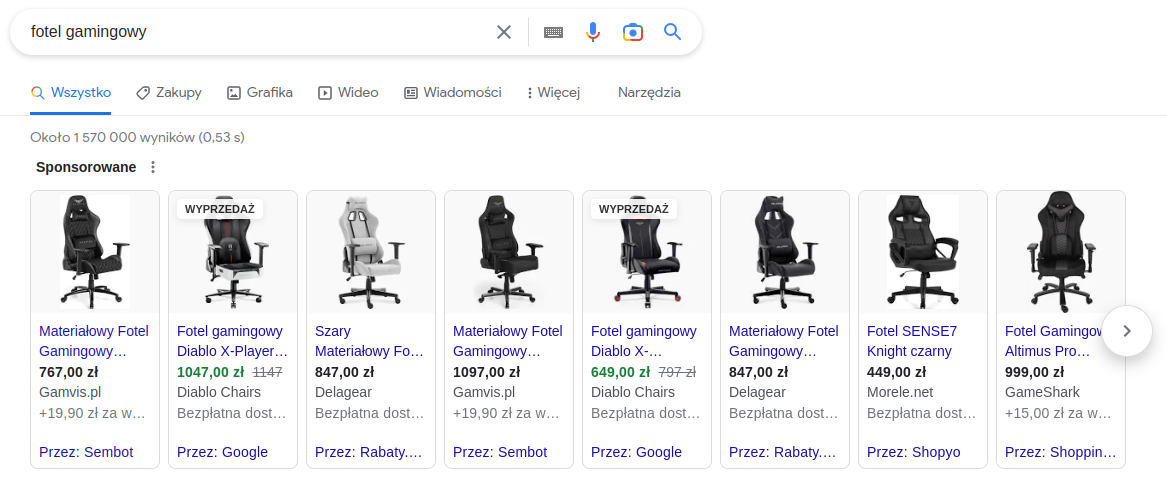
CSS, or Comparison Shopping Service, is a price comparison service that allows advertisers to display product ads in Google Search. Previously, PLA ads were only available through Google Shopping, but as a result of a penalty imposed by the European Commission, they can now also be displayed through other comparison shopping services. CSS works by collecting product offers from various e-retailers, and users who click on an ad are redirected to the retailer's website. The main difference between Google Shopping and other comparison services is simply that the name of the service through which the ad was displayed replaces the label "By Google."
How did Google CSS come about and what caused its creation?
The Comparison Shopping Service was created as a consequence of a ruling by the European Commission. A new company within the Google group — Google Shopping Europe — was established in the European market. The aim of GSE is to ensure that competing comparison services and product search engines operate under the same rules as Google Shopping.
One day before the 90-day deadline following the EC decision, the technology pioneer informed the EC of the business division into Google Search and Google Shopping. From that point on, Google Shopping operates as a separate entity. As a result of this structure, GSE is required to purchase advertising slots from Google Search.
How to get a 20% discount from Google on product ads and ensure your agency / comparison service is visible in the results?
To increase the competitiveness of Google Shopping, it opened its auction to more comparison services with approximately a 20% discount. Why does this work this way? Because clicks on ads from other price comparison services are not subject to the additional margin that applies to Google Shopping. The only noticeable difference between Google Shopping and other price comparison services is that instead of the label "By: Google," the label "By: Sembot.com" appears.
More about this service can be found in the official Google documentation: https://support.google.com/merchants/answer/7558973?hl=pl