Granting Access to the Product Feed on the IdoSell (IAI) Platform
Table of Contents
Step 1
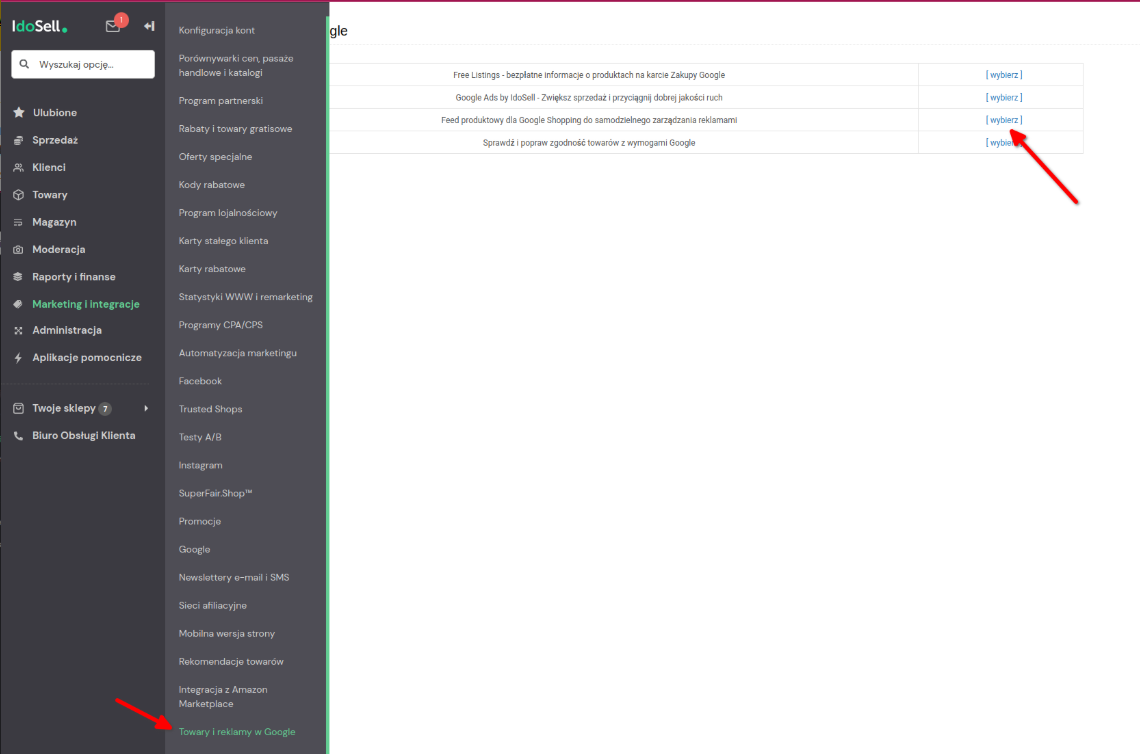
From the left menu, select: Marketing and integrations → Products and ads in Google → Product feed for Google Shopping
Step 2
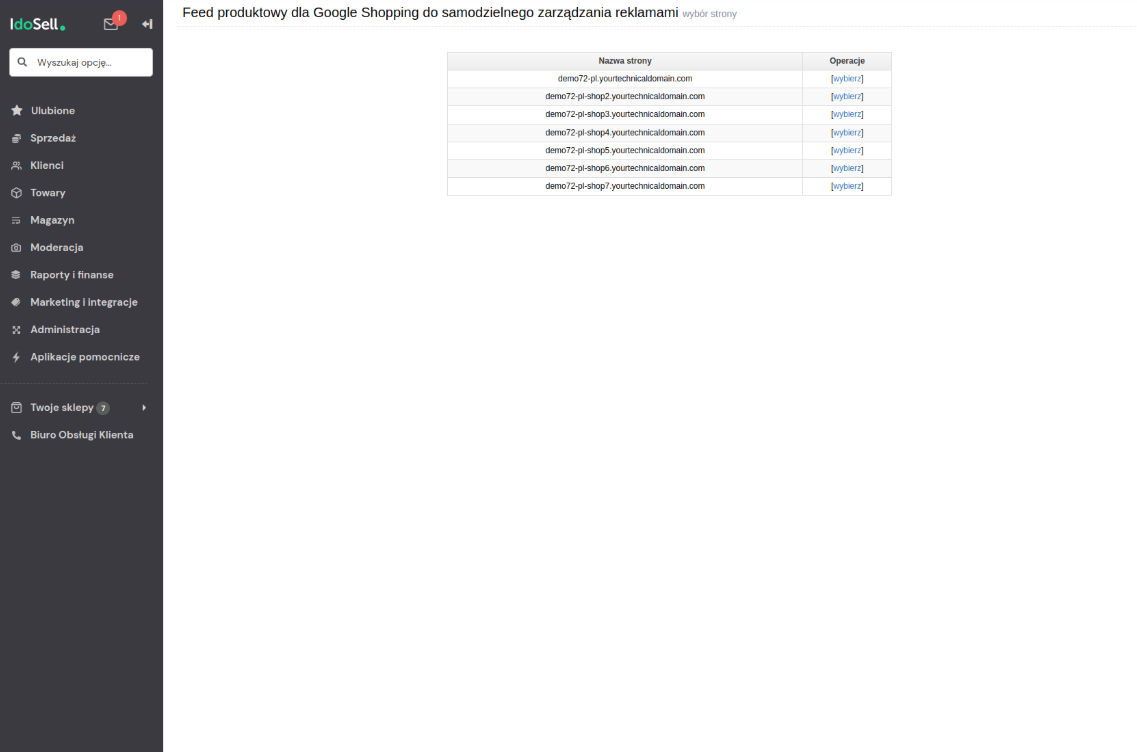
Select the store for which you want to change the settings
Step 3
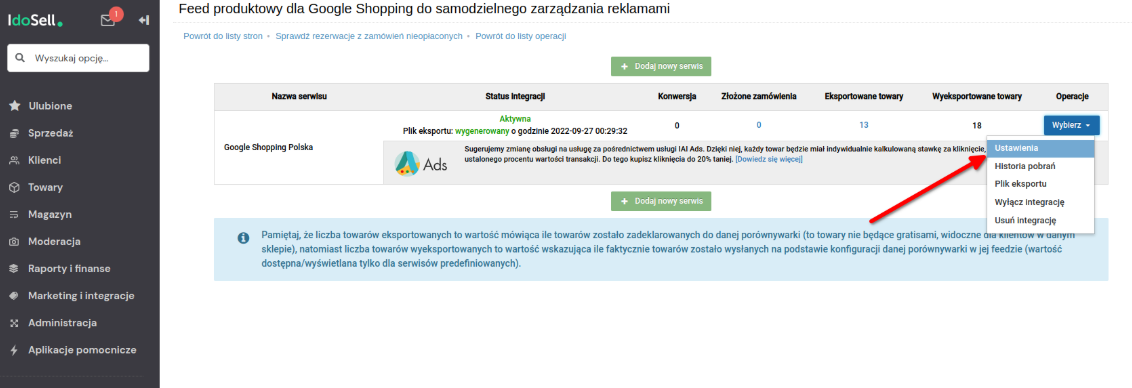
From the Operations menu, select → Settings
Step 4
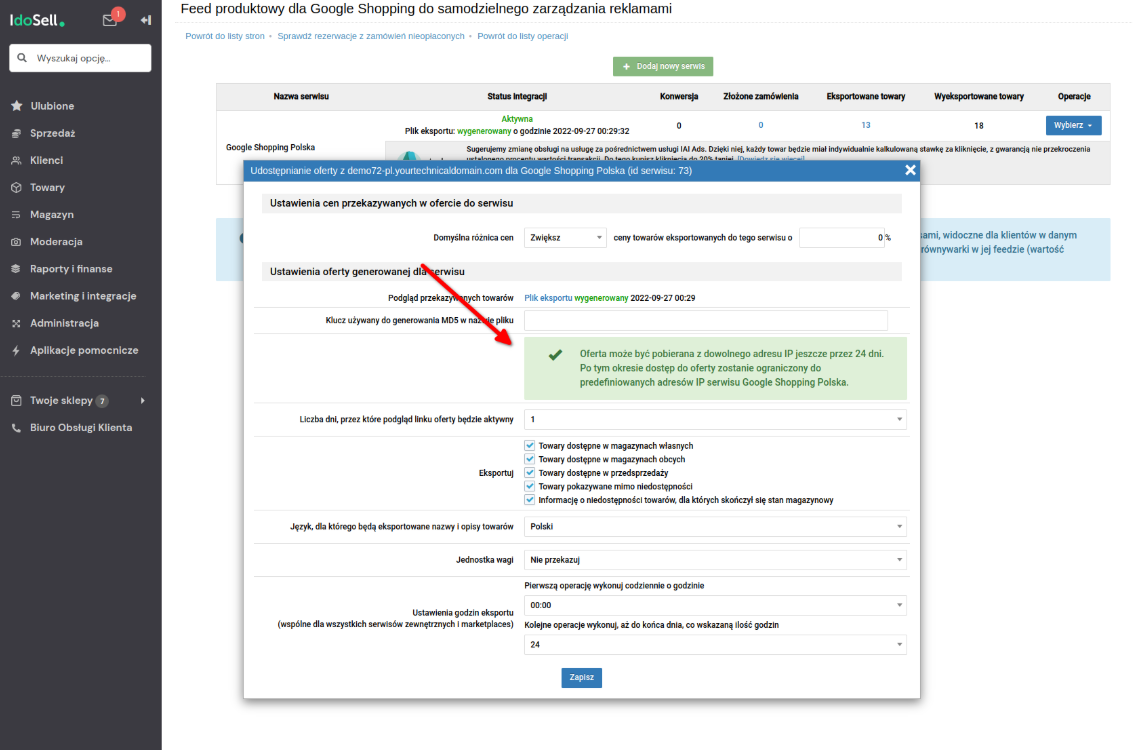
This button allows you to "disable IP blocking for 30 days". During this period, the platform learns and remembers the IP addresses from which requests are coming. After 30 days, access from unknown IPs is blocked automatically, but the tool continues to work — you do not need to repeat this process.
Step 5
Download the link to the product feed. Return to the main integration view, select Operations → Export file
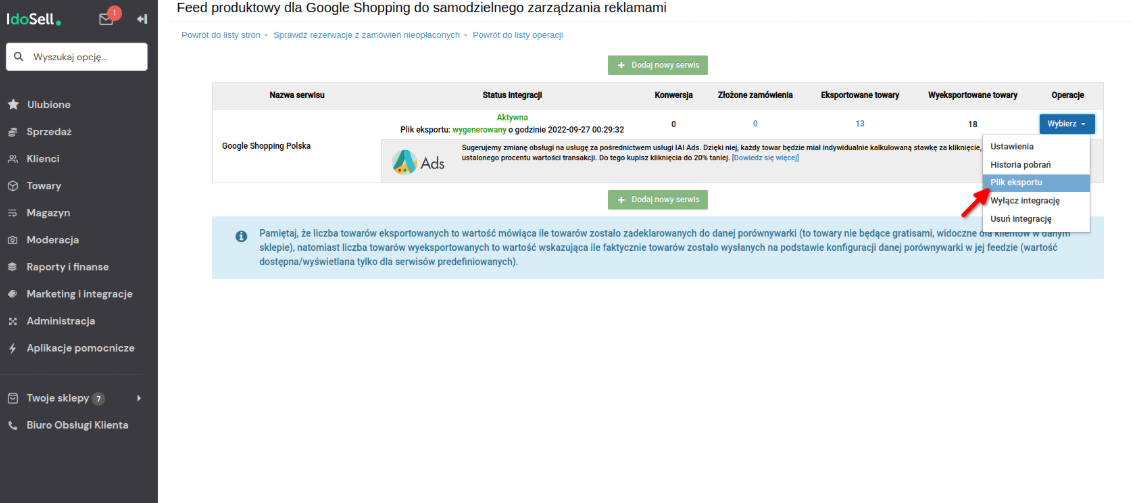
Copy the URL from the dialog window and paste it as the product feed source in Sembot.