FAQ
Why does my comparison shopping site show products from other sellers?
To meet Google's requirements, a comparison shopping service must include offers from a minimum of 50 sellers per market (target country for ads).
If you have the required number of sellers for a given market in your portfolio — let us know and we will remove the unwanted offers.
Why does the CSS site display a promotional price instead of the regular one?
The data shown on the comparison shopping site is pulled directly from Sembot. For this reason, it is worth verifying that the individual attributes have been mapped correctly.
What are GMC, CSS, and how do they work with Sembot?
Comparison Shopping Service (CSS)
CSS (Comparison Shopping Services) allows users to compare prices and features of products or services from different sellers. The goal of CSS is to help consumers make informed purchasing decisions by providing detailed information about products or services from multiple providers.
Examples of comparison shopping services include sites such as sembot.eu, pricegrabber.com, shopping.com, and kelkoo.com, as well as software such as Google Shopping and Bing Shopping. These platforms allow users to search for products and compare prices across different sellers.
Google Merchant Center (GMC)
Google Merchant Center is a platform that enables online retailers to upload product information and make it available in Google Search and other Google platforms. Feeds provide information such as product title, description, image, price, and availability.
The platform allows sellers to:
- manage product data,
- track performance,
- diagnose and resolve issues,
- create and manage product feeds.
Sembot
Sembot is a tool that supports the management of GMC accounts, CSS, and Google Ads. It significantly simplifies and accelerates the optimization of the product feed generated by your store.
The optimized output file generated by Sembot is added to the GMC account. Once the Google Ads integration is complete, we are able to efficiently generate a campaign, which is then activated in the Google Ads account. Additionally, the tool allows products to be added to the CSS comparison shopping site.
No margin on clicks in a CSS other than Google — how does this work?
How does the margin work?
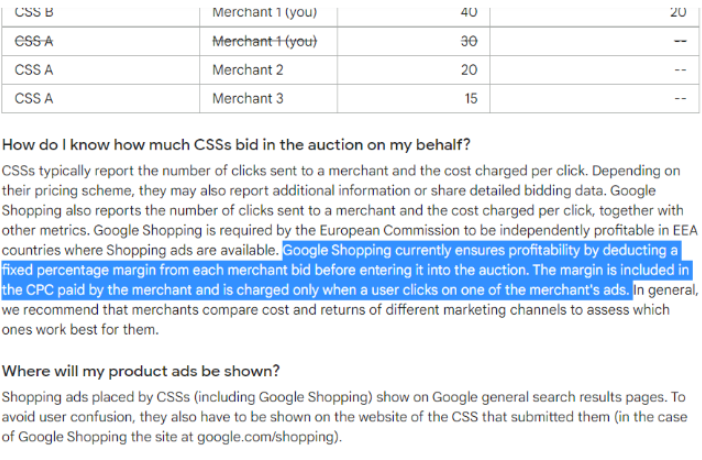
The margin is removed automatically when the GMC account is under a CSS other than Google. This is approximately 20% (sometimes 10–15%). The exact margin amount depends on many factors.
Google applies a margin to every click — they add it before the product participates in the auction. Under a CSS other than Google, there is no margin, so we bid with our full budget.
Example
If an ad under Google costs 1 PLN per click, Google takes 20 gr as commission and the auction runs at 80 gr — even though we spend 1 PLN.
Other CSS platforms bid at the full amount we spend: spending 1 PLN means paying 1 PLN per click, which guarantees greater bidding power.
Results of switching to an external CSS
The outcome depends on the competitive landscape and the actions being taken in the campaigns:
| Action | Effect |
|---|---|
| Raising the target or lowering bids | You pay less for the same result |
| Same campaign settings | More sales at the same cost (ROAS) |
| Max clicks strategy (without changing bids) | More clicks |
More information can be found in the Google documentation.
What happens to active campaigns after switching the GMC account to Sembot CSS or Brand/White Label CSS?
If you are switching a GMC account that is currently running product campaigns, there is nothing to worry about.
All active campaigns will be transferred and nothing will go wrong — they will not be paused, they will remain active with the same settings.