Adding Products to a Comparison Shopping Service Website
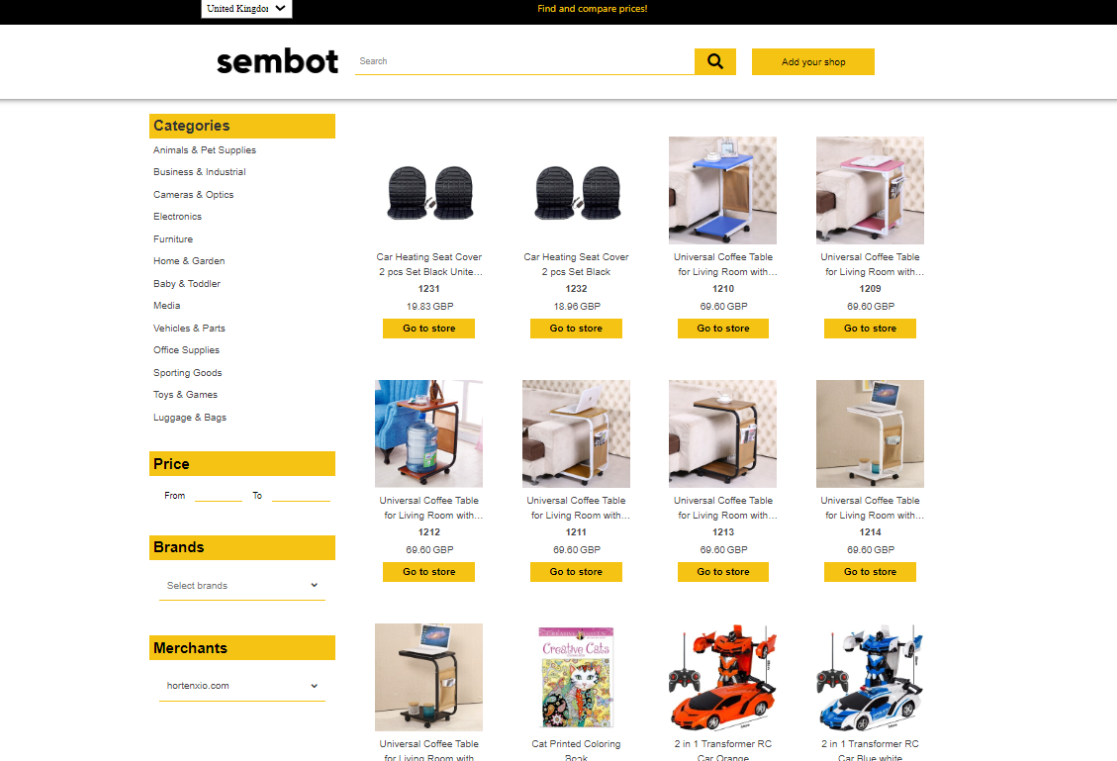
Sembot offers a feature for adding products to a price comparison shopping website. When creating a project in the eCommerce or CSS-only version, every user can add products to the sembot.eu comparison site. Users of the Brand/WL CSS service can additionally add products to their own comparison site.
What are the benefits of adding products to comparison shopping websites?
Adding products to a price comparison website increases your store's visibility. The more places where users can find your store's assortment, the greater the brand awareness and visibility. Adding products to the sembot.eu comparison site is free as part of the basic subscription plan.
When is adding products to a comparison shopping website required?
When you want to use the Sembot CSS service, before submitting a request to switch your Google Merchant Center account, you should select the comparison site on which your products will be displayed. If you do not add products to a comparison shopping website, product ads clicked via the "By Sembot" label will redirect to a price comparison page where your products will not be visible.
A similar situation applies to customers using the Brand/WL CSS service. To allow customers to find their products after clicking the "By" label, you should add them to the comparison site.
How to add products to a comparison shopping website?
Create a project and add your product data.
Remember! The available language versions of comparison shopping websites depend on the language you select when creating the project. For example, for a Polish store, choose Polish when creating the project to gain access to Polish comparison sites. If your store operates in Ireland, choose English to have access to English and Irish comparison sites.
Go to the "Source Settings" tab.
Navigate to the "Add products to comparison sites" tab visible at the very top.
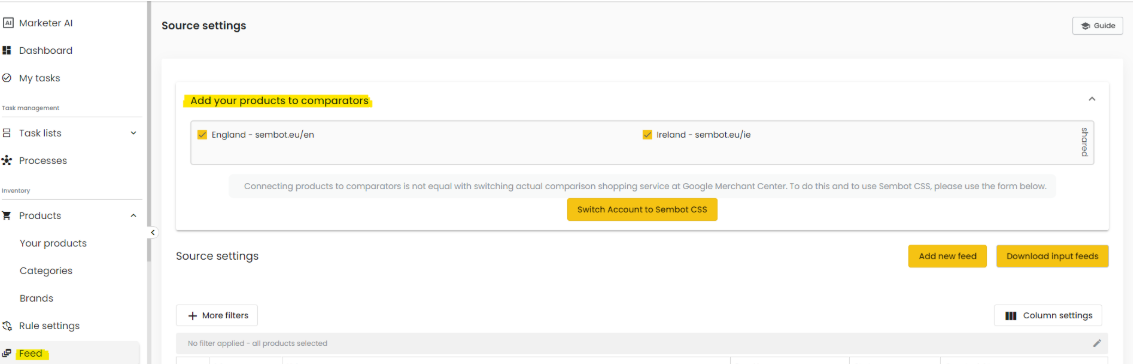
Remember! If you are using the Brand/WL CSS service, you will also find your own comparison site here.
Select the price comparison website. Check the box next to the selected comparison site. Products will be visible on the site within 24 hours.
Visit the price comparison website to which you added your products, and find your store in the "Sellers" section.