I Cannot Enable Dynamic Remarketing
Dynamic Remarketing
Dynamic remarketing is a feature offered in Google Ads that allows advertisers to display highly personalized ads to users who have previously interacted with their website or mobile app.
The ads include products or services that the user viewed or added to their cart, as well as similar products or services that the advertiser wants to promote. Dynamic remarketing ads can be displayed on the Google Display Network, YouTube, and Gmail, and can be very effective at increasing conversions and sales.
Activation Procedure
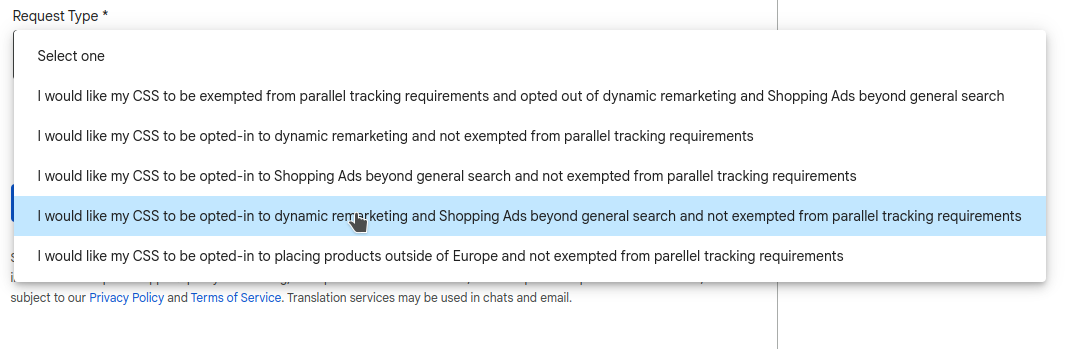
To enroll a CSS in the "Dynamic Remarketing" program, go to https://support.google.com/css-center/contact/parallel_tracking_exemption_css?hl=en&authuser=0&visit_id=638072096354751105-2713752553&rd=1 and fill in the required fields: enter the CSS Domain ID, and in the "Request type" field select the option "I would like my CSS to be opted-in to dynamic remarketing and Shopping Ads beyond general search and not exempted from parallel tracking requirements".
⚠️ To access this form, you must be logged in to a Google account with access to the CSS — for example, the email address used to set up the CSS.
Confirmation
After submitting the completed form, within a few hours a confirmation email from Google will be sent to the email address provided in the form, confirming that the program has been activated.