How can I connect to Sembot CSS?
Connecting your account to Sembot CSS
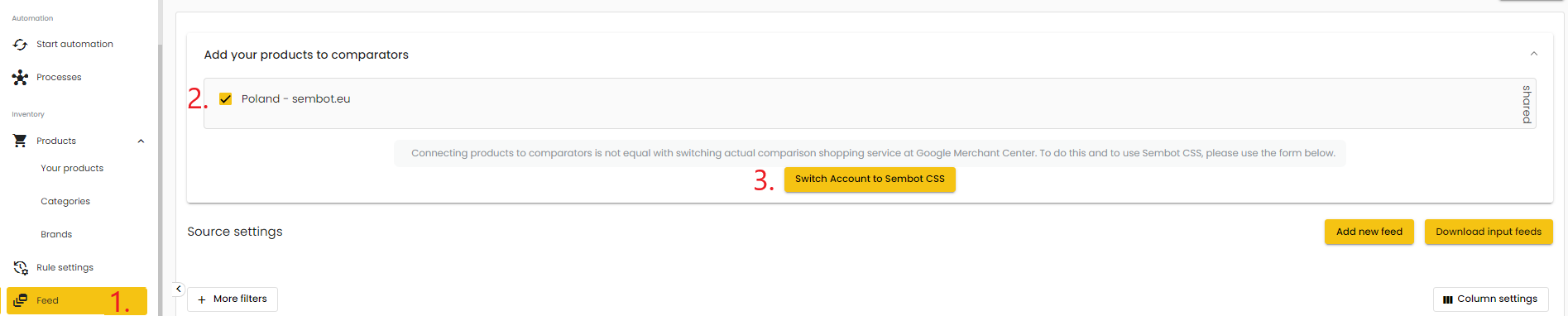
To connect to Sembot CSS, you must have an active subscription plan. Once you have purchased a plan, go to the "Feed Settings" tab, add a product feed, and then in the "Add products to comparison shopping site" section select the comparison shopping service(s) and click "Switch account to Sembot CSS".
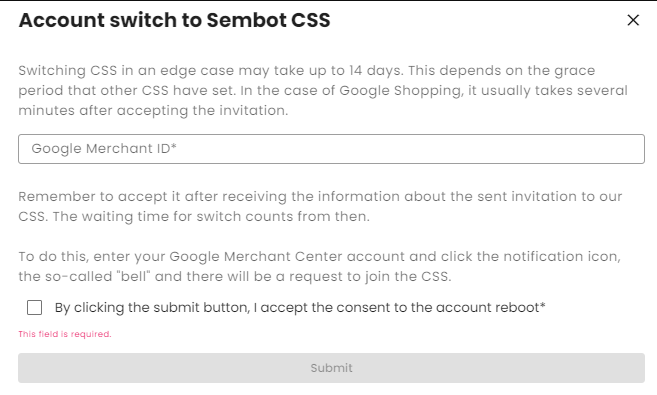
A form will appear on screen where you need to provide your GMC account ID, accept the terms and conditions, and then click "Submit". After submitting the request, we will perform the transfer, which you will then need to accept in your GMC account in the notifications section (bell icon). Transfers are processed during business hours (Monday to Friday).