Creating Product Duplicates
Product Duplication
Duplicates are copies of a product that users can create in Sembot Ads Suite to build another version of a product, differing from the parent product in, for example, the title, image, description, or any other parameter from the product feed.
Important: Duplicates are created only within the product feed, and each of them sends the customer to the same product page — so there is no need to create multiple versions of the same product in your store. At the same time, thanks to different product IDs in the feed, you can easily track which duplicate drives the most sales.
Duplicates in Practice
The most important aspect is the practical use of duplication capabilities, and there are quite a few:
- Precise matching of product titles to phrases searched by users (highest possible ad quality score)
- Full coverage of all phrases searched by users
- Advanced segmentation of product campaigns based on keyword match precision — with different bids
- Easy A/B testing of titles, images, and descriptions
In Sembot, duplicates can be created in several ways:
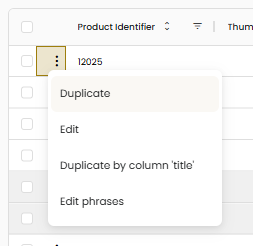
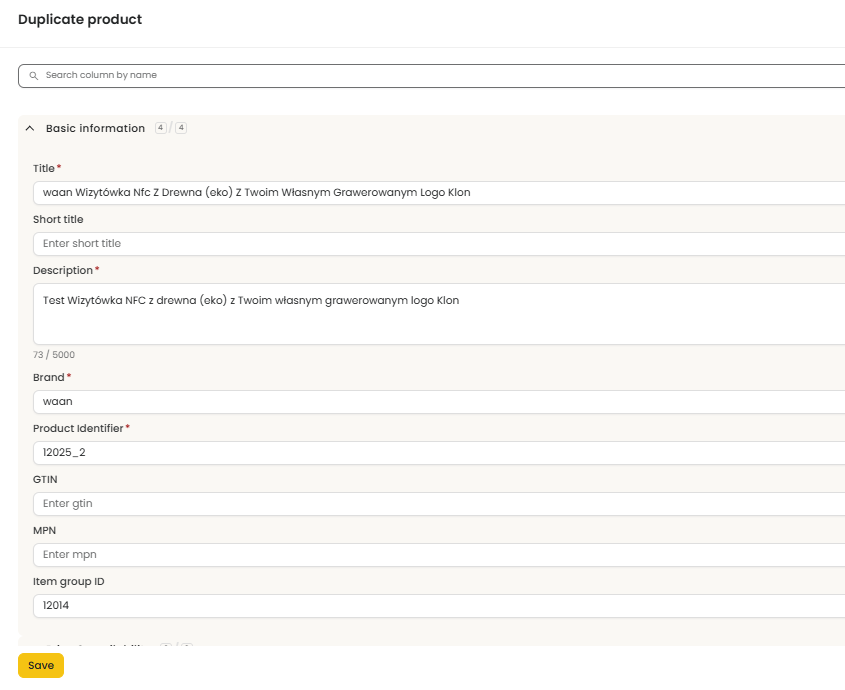
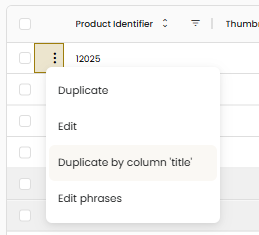
- By duplicating a single product and editing each attribute (three-dot icon next to the selected product → Duplicate)
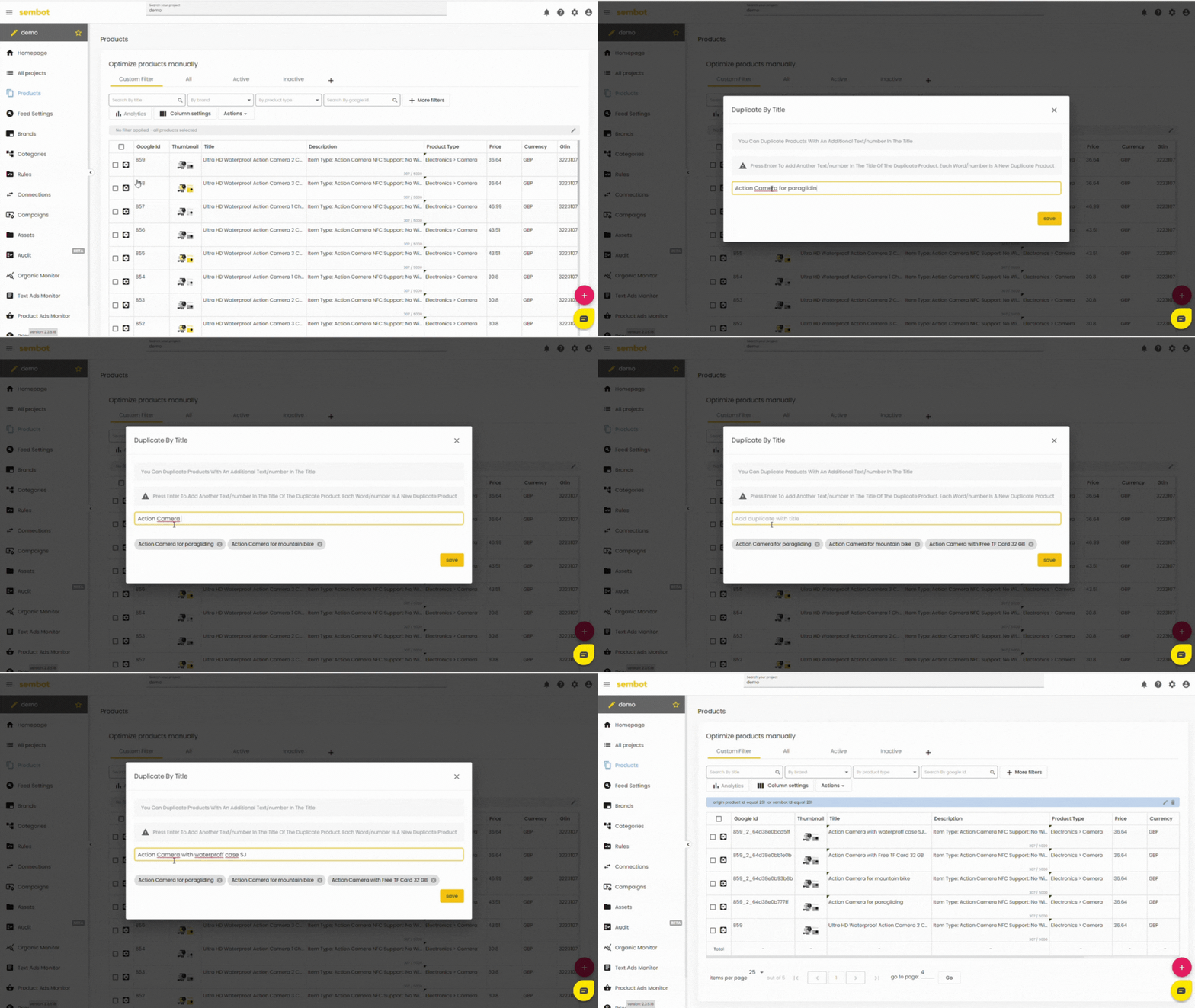
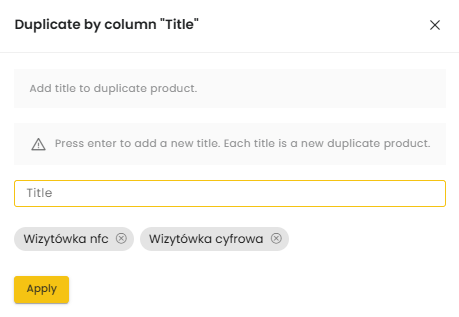
- By duplicating a single product by title (three-dot icon next to the selected product → Duplicate by column 'title', then entering new titles — press Enter or Tab after each phrase)
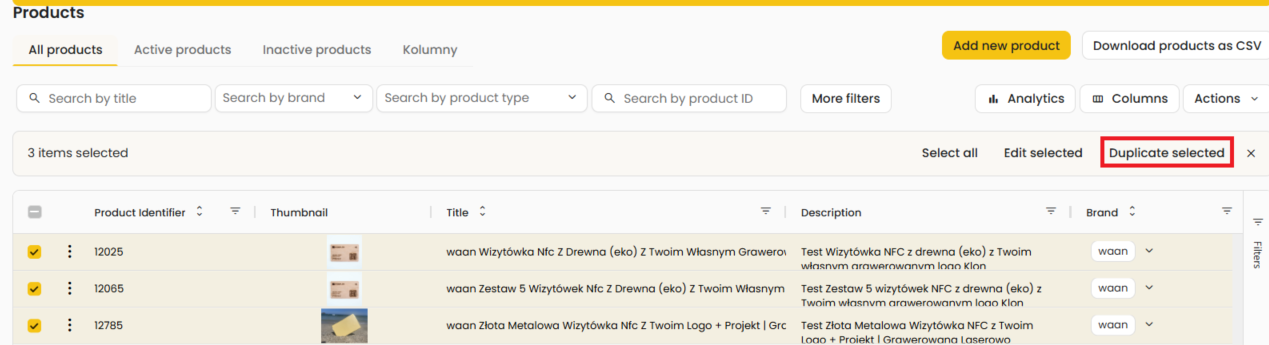
- By duplicating products in bulk (selecting a product from the list → Duplicate selected, then choosing a column and overwriting the duplicates with the selected phrase, e.g., bestseller)